
The 3rd lab provided by HTB, is called ‘Dancing’ and focuses more on ‘SMB’. One common way to transfer files across a network is through SMB (Server Message Block), a protocol mainly used on Windows systems to share files, printers, and other resources. SMB typically runs on TCP port 445, though scans may also reveal NetBIOS services since SMB often relies on them for transport.
With SMB, users or applications can read, create, and modify files on a remote server, as well as access shared resources like printers. These shared storage locations are called shares, which require valid credentials to access. Normally, this involves a username and password, but misconfigurations are common. In some cases, administrators may accidentally allow guest or anonymous logins, leaving the shares exposed.
Enumeration
We start using ‘nmap’ to have an understanding of what ports are open, and what version of these ports are open as well. We use the ‘-sV’ tag for this
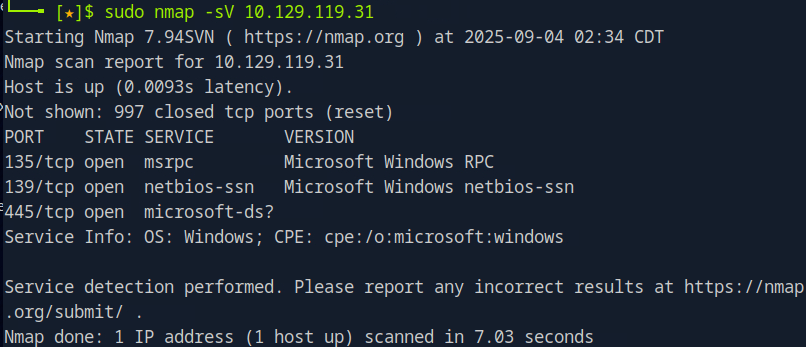
This is the result we get. The focus here is on port TCP 445, the port for SMP, which is an active share that we could potentially explore. To enumerate the contents of SMB shares on a remote system, we can use the smbclient tool.
If it isn’t already installed on your virtual machine, you can add it with a simple package installation command on Debian-based systems. This utility allows you to connect to and interact with SMB shares directly from the terminal.
We use the command of ‘sudo apt-get install smbclient’ for this.
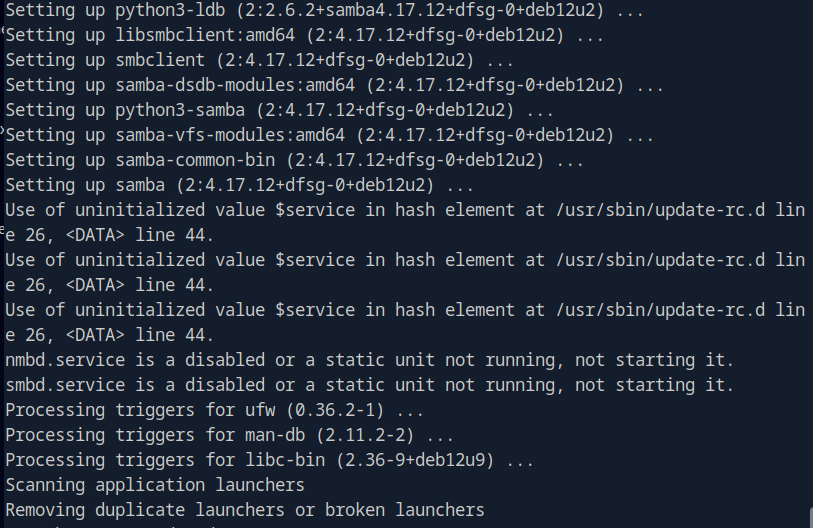
The terminal should look like this once it has completed the installation.
When using smbclient to connect to a remote host, the tool first checks if authentication is required. If no username is specified, it defaults to your local machine’s username. Since SMB always requires a username, this prevents errors. After that, it will prompt for a password linked to the provided username.
In real scenarios, legitimate users would log in with their known credentials. Since we don’t have valid ones here, we can attempt guest or anonymous authentication. This often works on misconfigured systems.
To try it, simply press Enter when prompted for a password, leaving the field blank.
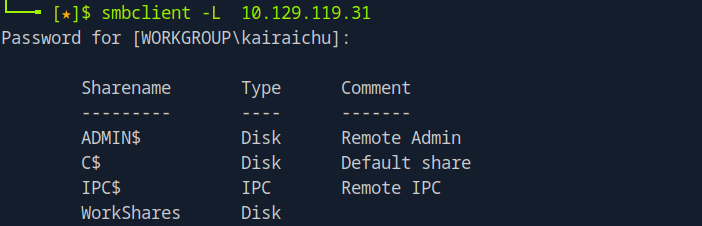
Like most tools, smbclient supports the -h or –help switch to display its options and usage. Running it against the target reveals four available shares:
- ADMIN$ – A hidden administrative share that gives system administrators remote access to disk volumes. It cannot be permanently deleted but can be disabled.
- C$ – Another administrative share, specifically for the system’s main C:\ volume where the OS is installed.
- IPC$ – A special share used for inter-process communication through named pipes; it is not part of the file system.
- WorkShares – A custom share created by the administrator.
Now lets try to connect to each share within the SMB, except IPC$, since it isn’t browsable like a normal directory and doesn’t contain usable files at this stage. The approach is the same as before, try logging in without valid credentials by leaving the password field blank. This helps us check whether any of the shares are misconfigured to allow unauthorized access. We’ll begin by testing the ADMIN$ share.

That didn’t work as we can see the output being ‘NT_STATUS_ACCESS_DENIED’. Now lets try the C$ admin share

That didn’t work either. Last one to check is ‘WorkShare’, lets try that.

Yes! It looks like that worked! We can see that share is poorly configured if we can get in without a password. We can also confirm it worked through that ‘smb />’ letting us know we can interact with the service.
Lets use the ‘ help’ command to seen what we could do here.
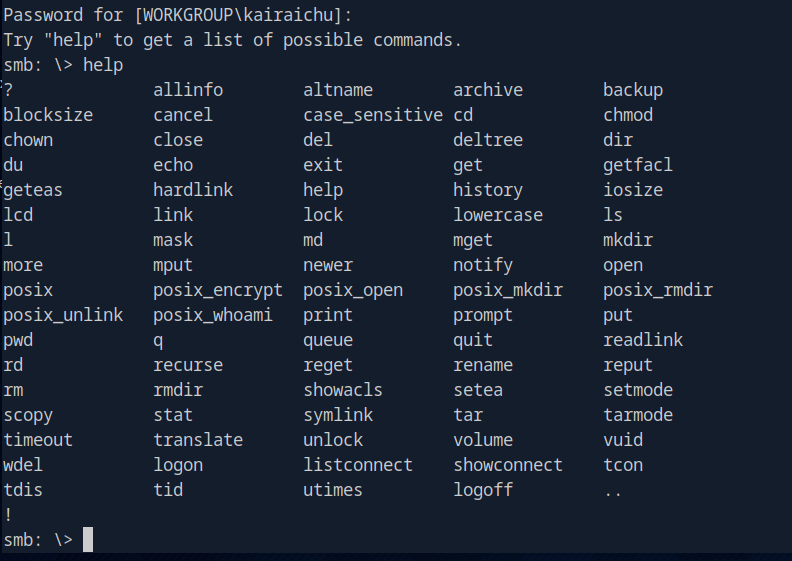
It looks like we could use the commands familiar with ‘ls’ ‘cd’, etc. This could help us to get into the directories.
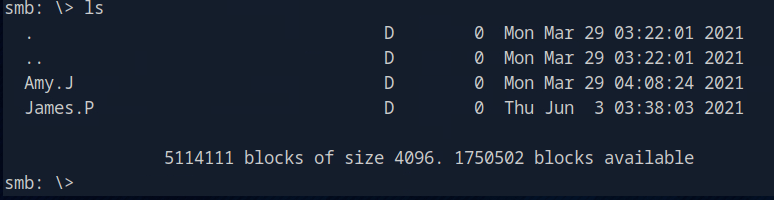
Typing ‘ls’ shows us two directories that we could explore. Let’s explore what Amy.J has.
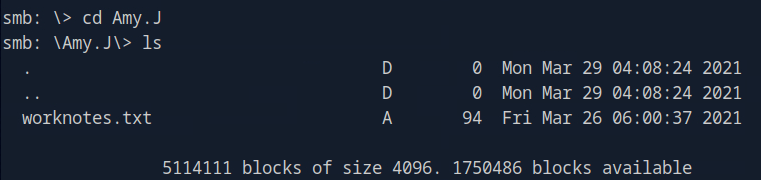
Amy. J has something called ‘worknotes.txt’. Let’s download it into our virtual machine, usually it would download to where we ran our ‘smbclient’ from. We use the ‘get’ command for this

Let’s now look at Jame.P’s directory. The way we go back is by using the ‘cd ..’ command, then the same commands again to get into James.P’s directory.

Looking into James.P’s directory, it seems like he has the flag! Using the ‘get’ command again to grab the flag.txt.
After closing the SMB shell, we can examine the two files we grabbed . The worknotes.txt file hints at additional services that might be exploitable. (In Hack The Box labs, such files often serve as clues for the next target or as resources for lateral movement. In this exercise, however, it serves only as a proof of concept and isn’t required for further steps.)
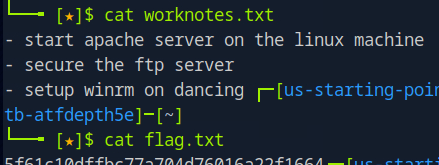
Look’s like we got it!! The flag.txt file is our main objective. Reading it provides the flag, which we then submit to the platform to complete the challenge and officially “own” the Dancing machine.
That’s it for the machine, next post we shall explore the questions and answers of the quiz about Meow! Now let’s hack‘em all! ʕ -ᴥ•ʔ♡
 KaiRaiChu
Leave a comment